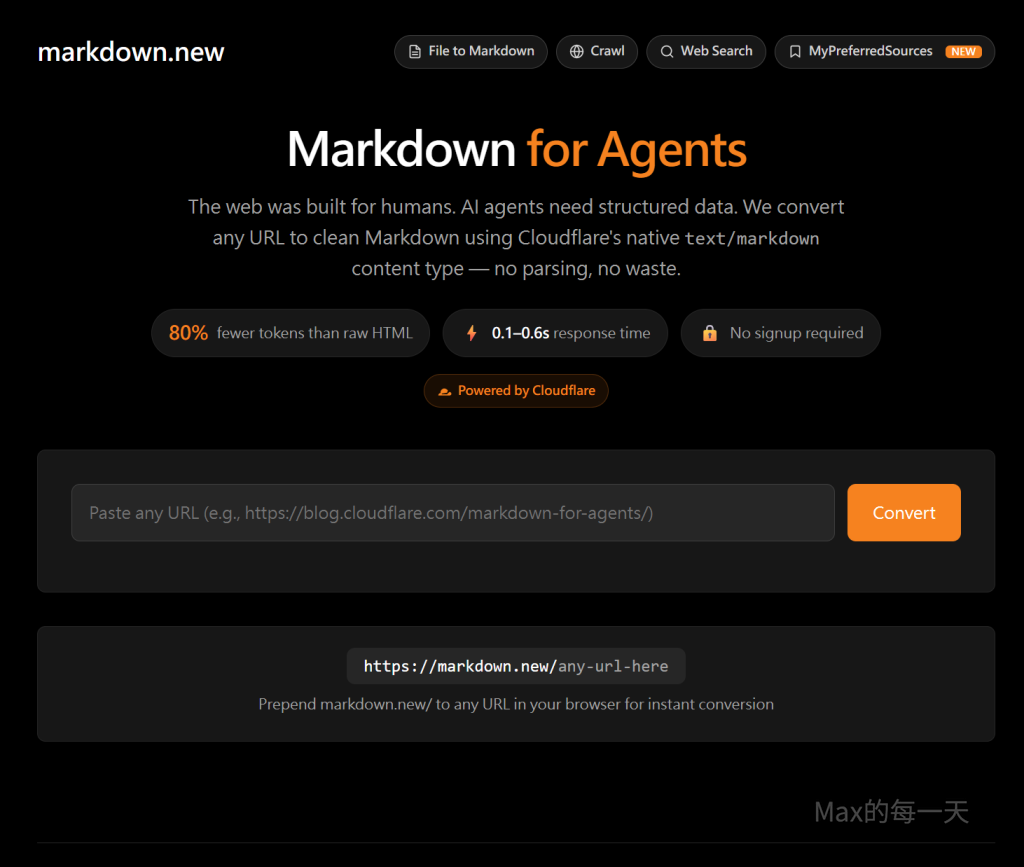
網路上很多人把它吹成幫 AI 減肥的秘密武器,號稱可以一鍵把網址、 PDF 還有 Office 檔案,全部轉換成乾淨俐落的 Markdown 格式。
聽起來超神奇對不對?大家總覺得把一堆像課本一樣厚的長文件換成簡短的 .md 檔,就可以幫 AI 省下大量的 Token 額度,再也不用擔心 AI 讀到一半就斷線或是配額爆表。
殘酷的實驗真相: Word 檔其實更省空間?
不過,經過實際測試,真相可能會讓你跌破眼鏡!
如果你的來源檔案本來就是 Word 檔( .docx ),而且最後需要的成品也是 Word 檔,直接把 Word 檔餵給 AI ,反而才是最節省 Token 的作法!
很多人會用 Python 腳本硬把 .docx 轉成 .md 檔,結果不僅遺失了一大堆格式,排版也變得亂七八糟。更慘的是,等你讓 AI 修改完 .md 檔,想要再轉回 Word 檔的時候,那才是真正的災難開始。
而且你知道嗎?經過測試發現,大多數只有兩三頁的 Word 檔,檔案大小大概只有 50 KB 左右。如果你硬把它們轉成 .md 檔,體積反而會膨脹到 60 到 70 KB !這根本不是幫 AI 減肥,是在幫它增重吧?
正確的減肥策略:直接幫 Word 檔抽脂!
既然 Word 檔這麼好用,項目符號的自動排列與編號又比 .md 檔聰明,那我們要怎麼幫它瘦身呢?
最好的解法,就是直接讓 AI 寫一個 Python 腳本,把 Word 檔裡面那些看不見的贅肉與大魔王(例如:嵌入字型、沒用的圖片)通通切掉!
下面這段強大的 Python 程式碼,就是幫 Word 檔完美抽脂的秘密工具:
"""
rebuild_docx.py — 精簡 .docx 檔案大小,保留項目符號,統一使用標楷體字型。

用法:
    python rebuild_docx.py -i <來源檔> -o <輸出檔>

策略:
  1. 直接操作來源文件 XML,保留所有 numPr(項目符號/編號)
  2. 將所有字型改為標楷體
  3. 移除 inline 圖片 (<w:drawing>)
  4. 以 zipfile 重寫時去掉 word/fonts/ 嵌入字型(最大體積來源)
"""

import argparse
import io
import os
import zipfile

from docx import Document
from docx.oxml.ns import qn
from lxml import etree

KAITI = '標楷體'


# ── 字型處理 ──────────────────────────────────────────────────────────────────

def _set_rfonts(rFonts_el):
    """將 w:rFonts 元素的所有字型屬性改為標楷體。"""
    ns = 'http://schemas.openxmlformats.org/wordprocessingml/2006/main'
    for attr in ('ascii', 'hAnsi', 'eastAsia', 'cs'):
        rFonts_el.set(f'{{{ns}}}{attr}', KAITI)
    # 移除 theme 字型引用,避免覆蓋
    for attr in ('asciiTheme', 'hAnsiTheme', 'eastAsiaTheme', 'cstheme'):
        key = f'{{{ns}}}{attr}'
        if key in rFonts_el.attrib:
            del rFonts_el.attrib[key]


def apply_kaiti_to_element(root_el):
    """遞迴將 root_el 底下所有 w:rFonts 改為標楷體;
    若某 w:r 沒有 w:rFonts,補上一個。"""
    W = 'http://schemas.openxmlformats.org/wordprocessingml/2006/main'
    # 修改已有的 rFonts
    for rFonts in root_el.iter(f'{{{W}}}rFonts'):
        _set_rfonts(rFonts)
    # 補上沒有 rFonts 的 run
    for rPr in root_el.iter(f'{{{W}}}rPr'):
        if rPr.find(f'{{{W}}}rFonts') is None:
            rFonts = etree.SubElement(rPr, f'{{{W}}}rFonts')
            _set_rfonts(rFonts)
            rPr.insert(0, rFonts)  # rFonts 要在 rPr 最前面


def apply_kaiti_to_styles(doc):
    """修改 document styles 中的預設字型。"""
    styles_el = doc.styles.element
    apply_kaiti_to_element(styles_el)


# ── 移除圖片 ──────────────────────────────────────────────────────────────────

def remove_drawings(root_el):
    """移除所有 <w:drawing> 元素(inline 圖片)。"""
    W = 'http://schemas.openxmlformats.org/wordprocessingml/2006/main'
    for drawing in root_el.findall(f'.//{{{W}}}drawing'):
        parent = drawing.getparent()
        if parent is not None:
            parent.remove(drawing)


# ── 移除嵌入字型(zip 層級)────────────────────────────────────────────────────

def _clean_rels_xml(data: bytes, skip_types: set) -> bytes:
    """移除 .rels 文件中特定 Type 的 Relationship 節點。"""
    try:
        root = etree.fromstring(data)
        ns = 'http://schemas.openxmlformats.org/package/2006/relationships'
        for rel in root.findall(f'{{{ns}}}Relationship'):
            rtype = rel.get('Type', '')
            if any(t in rtype for t in skip_types):
                root.remove(rel)
        return etree.tostring(root, xml_declaration=True, encoding='UTF-8', standalone=True)
    except Exception:
        return data


def _clean_content_types(data: bytes, skip_exts: set) -> bytes:
    """移除 [Content_Types].xml 中特定副檔名的 Default 及 Override 節點。"""
    try:
        root = etree.fromstring(data)
        ns = 'http://schemas.openxmlformats.org/package/2006/content-types'
        for child in list(root):
            ext = child.get('Extension', '').lower()
            part = child.get('PartName', '').lower()
            if ext in skip_exts or any(f'/media/' in part for _ in [1]):
                if '/media/' in part or ext in skip_exts:
                    root.remove(child)
        return etree.tostring(root, xml_declaration=True, encoding='UTF-8', standalone=True)
    except Exception:
        return data


IMAGE_RELS = {'image', '/image'}
IMAGE_EXTS = {'png', 'jpg', 'jpeg', 'gif', 'bmp', 'tiff', 'wmf', 'emf', 'odttf'}
FONT_RELS  = {'font', '/font'}


def strip_bloat(src_bytes: bytes) -> bytes:
    """重新打包 zip:去除嵌入字型、媒體圖片,並清理對應的 .rels 與 Content_Types。"""
    buf = io.BytesIO()
    with zipfile.ZipFile(io.BytesIO(src_bytes), 'r') as zin, \
         zipfile.ZipFile(buf, 'w', compression=zipfile.ZIP_DEFLATED) as zout:
        for item in zin.infolist():
            name = item.filename
            # 略過嵌入字型和媒體圖片
            if name.startswith('word/fonts/') or name.startswith('word/media/'):
                continue
            data = zin.read(name)
            # 清理字型與圖片的關聯
            if name.endswith('.rels'):
                data = _clean_rels_xml(data, IMAGE_RELS | FONT_RELS)
            # 清理 Content_Types
            if name == '[Content_Types].xml':
                data = _clean_content_types(data, IMAGE_EXTS)
            zout.writestr(item, data)
    return buf.getvalue()


# ── 表格版面修正 ──────────────────────────────────────────────────────────────

def fix_tables(doc):
    """
    每張表格:
      1. 移除 w:tblpPr(浮動定位 → 原因:導致文字排在表格右側)
      2. 寬度設為 100%(w:tblW type="pct" w="5000")
      3. 清除左縮排(w:tblInd w="0")
    """
    W = 'http://schemas.openxmlformats.org/wordprocessingml/2006/main'
    TBL_PP  = f'{{{W}}}tblpPr'
    TBL_W   = f'{{{W}}}tblW'
    TBL_IND = f'{{{W}}}tblInd'
    TBL_PR  = f'{{{W}}}tblPr'

    for table in doc.tables:
        tbl = table._element
        tblPr = tbl.find(TBL_PR)
        if tblPr is None:
            tblPr = etree.SubElement(tbl, TBL_PR)
            tbl.insert(0, tblPr)

        # 1. 移除浮動定位
        for el in tblPr.findall(TBL_PP):
            tblPr.remove(el)

        # 2. 寬度 100%
        tblW = tblPr.find(TBL_W)
        if tblW is None:
            tblW = etree.SubElement(tblPr, TBL_W)
        tblW.set(f'{{{W}}}type', 'pct')
        tblW.set(f'{{{W}}}w', '5000')

        # 3. 清除縮排
        tblInd = tblPr.find(TBL_IND)
        if tblInd is None:
            tblInd = etree.SubElement(tblPr, TBL_IND)
        tblInd.set(f'{{{W}}}type', 'dxa')
        tblInd.set(f'{{{W}}}w', '0')


# ── 移除顏色 ──────────────────────────────────────────────────────────────────

def remove_colors(doc):
    """
    移除文件中所有顏色相關設定:
      - w:color    (文字顏色)
      - w:highlight (螢光筆)
      - w:shd      (段落、儲存格、文字底色)
    同時將 styles 中的顏色也一併清除。
    """
    W = 'http://schemas.openxmlformats.org/wordprocessingml/2006/main'
    COLOR_TAGS = {f'{{{W}}}{t}' for t in ('color', 'highlight', 'shd')}

    for el in doc.element.iter():
        if el.tag in COLOR_TAGS:
            parent = el.getparent()
            if parent is not None:
                parent.remove(el)

    # styles 也清除
    for el in doc.styles.element.iter():
        if el.tag in COLOR_TAGS:
            parent = el.getparent()
            if parent is not None:
                parent.remove(el)

    # styles 也清除
    for el in doc.styles.element.iter():
        if el.tag in COLOR_TAGS:
            parent = el.getparent()
            if parent is not None:
                parent.remove(el)


# ── 主流程 ────────────────────────────────────────────────────────────────────

def process_docx(src_path: str, dst_path: str, strip_color: bool = False):
    before_kb = os.path.getsize(src_path) / 1024
    print(f'來源:{src_path}  ({before_kb:.1f} KB)')

    doc = Document(src_path)

    # 1. 字型改為標楷體
    apply_kaiti_to_element(doc.element)
    apply_kaiti_to_styles(doc)

    # 2. 移除 inline 圖片
    remove_drawings(doc.element)

    # 3. 表格:100% 寬、移除浮動定位
    fix_tables(doc)

    # 4. 移除顏色(選用)
    if strip_color:
        remove_colors(doc)
        print('  → 顏色已清除')

    # 5. 存到記憶體
    buf = io.BytesIO()
    doc.save(buf)
    docx_bytes = buf.getvalue()

    # 4. zip 層級:去除嵌入字型與媒體圖片
    docx_bytes = strip_bloat(docx_bytes)

    # 5. 寫出
    with open(dst_path, 'wb') as f:
        f.write(docx_bytes)

    after_kb = os.path.getsize(dst_path) / 1024
    print(f'輸出:{dst_path}  ({after_kb:.1f} KB)  縮減 {(1 - after_kb/before_kb)*100:.0f}%')


# ── CLI ───────────────────────────────────────────────────────────────────────

def main():
    parser = argparse.ArgumentParser(
        description='精簡 .docx 大小:標楷體字型、保留項目符號、去除嵌入字型與圖片。'
    )
    parser.add_argument('-i', '--input',  required=True, help='來源 .docx 路徑')
    parser.add_argument('-o', '--output', required=True, help='輸出 .docx 路徑')
    parser.add_argument('--no-color', action='store_true', help='移除所有顏色(文字色、螢光筆、底色)')
    args = parser.parse_args()

    process_docx(args.input, args.output, strip_color=args.no_color)


if __name__ == '__main__':
    main()
生成 python 的 prompt:
* 撰寫 Python 腳本,使用簡潔的方式生成 .docx 文件,避免複雜的格式設定以減少檔案大小, 字型使用[標楷體].
* 所有項目的編號要一致且按順序排列.
接著再請 AI 寫 .bat 檔, 方便把來源資料夾下的 .docx 輸出到另一個資料夾下, 例如: convert.bat
echo 轉換中:XX說明書…
python rebuild_docx.py –no-color -i “backup\XX說明書.docx” -o “XX說明書.docx”
要注意的是, 也許你的 Word 裡需要 “媒體圖片“, 你可能需要微調上面的流程.
我發現, 大多的 Word 檔, 如果只有 2~3 頁的話, 內容在 50KB 左右, 改用 .md 反而會長到 60~70KB.
使用 Word 檔好處很多, 直接預覽也方便, 改用 libreoffice 或 ms office , google document 的 preview 也很方便, 對項目符號的自動排列與編號比 .md 好很多.
之前自動把目錄資料夾裡的 .html 轉成 .md 的 .bat 檔:
python convert_htm_to_md.pypython script:
import os
import glob
import html2text
import re
from bs4 import BeautifulSoup

def convert_htm_to_md():
    # Initialize html2text converter
    h = html2text.HTML2Text()
    h.ignore_links = False
    h.ignore_images = False
    h.body_width = 0  # No wrapping

    # Find all .htm files
    htm_files = glob.glob("*.htm")

    if not htm_files:
        print("No .htm files found in the current directory.")
        return

    for htm_file in htm_files:
        md_file = os.path.splitext(htm_file)[0] + ".md"
        print(f"Converting {htm_file} to {md_file}...")

        try:
            with open(htm_file, "r", encoding="utf-8", errors="ignore") as f:
                html_content = f.read()

            # Pre-processing: Remove hidden elements using BeautifulSoup
            soup = BeautifulSoup(html_content, 'html.parser')

            # Remove elements with display:none or mso-hide:all
            for element in list(soup.find_all(style=True)):
                if element.parent is None:
                    continue
                style = element.get('style', '').lower()
                if 'display:none' in style.replace(' ', '') or 'mso-hide:all' in style.replace(' ', ''):
                    element.decompose()

            # Convert cleaned HTML to Markdown
            markdown_content = h.handle(str(soup))

            # Post-processing to reduce tokens
            # 1. Remove empty bold/italic markers and those containing only horizontal whitespace
            markdown_content = re.sub(r'(\*\*|__)[ \t]*\1', '', markdown_content)

            # 2. Remove redundant asterisks/underscores (e.g., **** -> empty)
            markdown_content = re.sub(r'(\*\*|__){2,}', '', markdown_content)

            # 3. Split into lines and strip trailing whitespace
            lines = [line.rstrip() for line in markdown_content.splitlines()]

            # 4. Collapse multiple empty lines into one
            new_lines = []
            if lines:
                new_lines.append(lines[0])
                for i in range(1, len(lines)):
                    if lines[i] == "" and lines[i-1] == "":
                        continue
                    new_lines.append(lines[i])

            # 5. Remove leading and trailing empty lines
            while new_lines and new_lines[0] == "":
                new_lines.pop(0)
            while new_lines and new_lines[-1] == "":
                new_lines.pop()

            markdown_content = "\n".join(new_lines)

            with open(md_file, "w", encoding="utf-8") as f:
                f.write(markdown_content)

            print(f"Successfully converted {htm_file}")
        except Exception as e:
            print(f"Failed to convert {htm_file}: {e}")

if __name__ == "__main__":
    convert_htm_to_md()
如果直接在全網頁上處理, 參考: Gemini 的 Gem 教學, 以政府資訊採購規格書審查專家為例
https://max-everyday.com/2026/06/gemini-gem-cot/